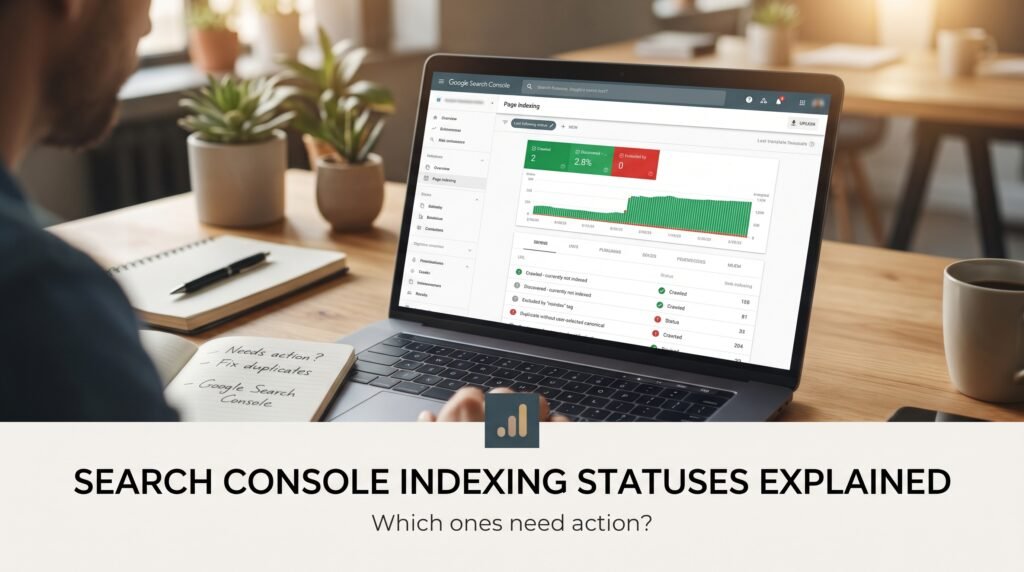
The Page indexing report in Google Search Console lists every URL Google knows about and why some of them aren’t in the index. A long list of “not indexed” pages looks alarming, but Google’s own help page says not indexed isn’t necessarily bad [1]. Most of what I’d do is separate the pages that should be indexed from the ones that shouldn’t, then read the reason against each.
Start with the question, not the status
The first question is whether the page should be in search at all. Login pages, filtered URLs, old redirects, duplicates and thank-you pages shouldn’t be, and seeing them under “not indexed” means the system is working. The statuses to worry about are the ones attached to pages that earn or could earn enquiries.
Export the not-indexed list and sort it by whether you want each URL in search. Anything you do want indexed gets read against its reason. Anything you don’t can usually be left alone, though a very long list of low-value URLs can be a sign of a site generating more parameter and duplicate pages than it needs.
The Page indexing report shows a sample of URLs per reason and a count, so it’s a guide to patterns and not a complete inventory. For one specific page, the URL Inspection tool gives the exact reason [1].
The two “currently not indexed” statuses
“Crawled – currently not indexed” means Google fetched the page and decided not to index it. “Discovered – currently not indexed” means Google knows the URL but hasn’t crawled it yet. These two are the most misread, because they sound similar and mean different things.
Google’s help page says a crawled page may or may not be indexed in the future, so there’s no need to resubmit it [1]. For discovered pages, the page says Google typically wanted to crawl the URL but expected that doing so would overload the site, so it rescheduled the crawl [1].
Why a crawled page is left out isn’t something Google’s documentation spells out for each URL. Community explanations point to thin, duplicate or low-value content, and for discovered pages to crawl capacity or site-wide quality signals, but those come from community guides, not documentation [2]. I’d treat them as hypotheses to test. For a page you want indexed, ask whether it adds something the site doesn’t already say, whether it’s linked from pages Google already values, and whether near-duplicates exist.
Duplicate and canonical statuses
Several statuses describe duplicates. They mean Google found the page but treated another URL as the main version. They’re often fine, and the question is whether Google picked the right one.
| Status (as labelled in the report) | What it tends to mean | Needs action? |
|---|---|---|
| Alternate page with proper canonical tag | The page names another URL as canonical and Google agrees | Usually not |
| Duplicate without user-selected canonical | Google found duplicates and no canonical was declared | Yes, if the page matters |
| Duplicate, Google chose different canonical than user | You declared one URL and Google picked another | Yes, investigate |
| Page with redirect | The URL redirects elsewhere | Only if internal links still point to it |
For the third one, our post on canonical tags covers why Google may disagree and how to make the signals match.
Statuses that are settings you chose
“Excluded by ‘noindex’ tag” and “Blocked by robots.txt” mean the site told Google not to index or crawl the page. They’re only problems if they’ve caught the wrong pages. A noindex left on after a redesign, or a robots.txt rule that blocks a whole folder, is a common way for important pages to disappear.
“Not found (404)” and “Soft 404” cover pages that return an error or look like one. Our post on redirect chains and broken links explains which are worth fixing.
What I’d do
Pull the not-indexed export, mark which URLs you want indexed, and read the status against each of those. Fix noindex and robots.txt mistakes first, because they’re fast and total. Then handle duplicates and canonicals, then work on the content-quality questions behind “crawled – currently not indexed” for the pages that matter.
Check progress in the report, but give changes time. The report updates as Google recrawls, and I wouldn’t expect same-day results. The Search Console health check is a quick way to see which of these issues apply to your site, and the Search Console audit covers them in depth. Google Search Console for small businesses explains the rest of the reports.
FAQ
Is “Crawled – currently not indexed” a problem?
Not always. It means Google fetched the page and chose not to index it for now. If the page matters, check whether it adds something distinct, is linked from valuable pages and has near-duplicates. If it’s a low-value URL, you can leave it alone.
Should I request indexing for pages that aren’t indexed?
For a new or changed page that matters, the URL Inspection tool lets you request indexing, but Google says there’s no need to resubmit a crawled page that wasn’t indexed. Fix the reason it was left out first, then give Google time to recrawl.
Why are so many pages “Discovered – currently not indexed”?
Google knows about the URLs and hasn’t crawled them yet. Google’s help page says it may reschedule crawling to avoid overloading a site. A large share of these on a small site can mean many low-value URLs are being generated, so review what’s in the list.
Do I need to fix every not-indexed page?
No. Duplicates, redirects, noindexed pages and deliberately blocked URLs are expected. Fix the ones you want in search, and make sure none of the excluded pages are ones that should be earning traffic.
Sources
- Search Console Help, Page indexing report, accessed 2 November 2026.
- Google Search Central Community, Why isn’t Google indexing pages in “Discovered – currently not indexed” status?, community guide, not official documentation.
- Search Console Help, URL Inspection tool, accessed 2 November 2026.